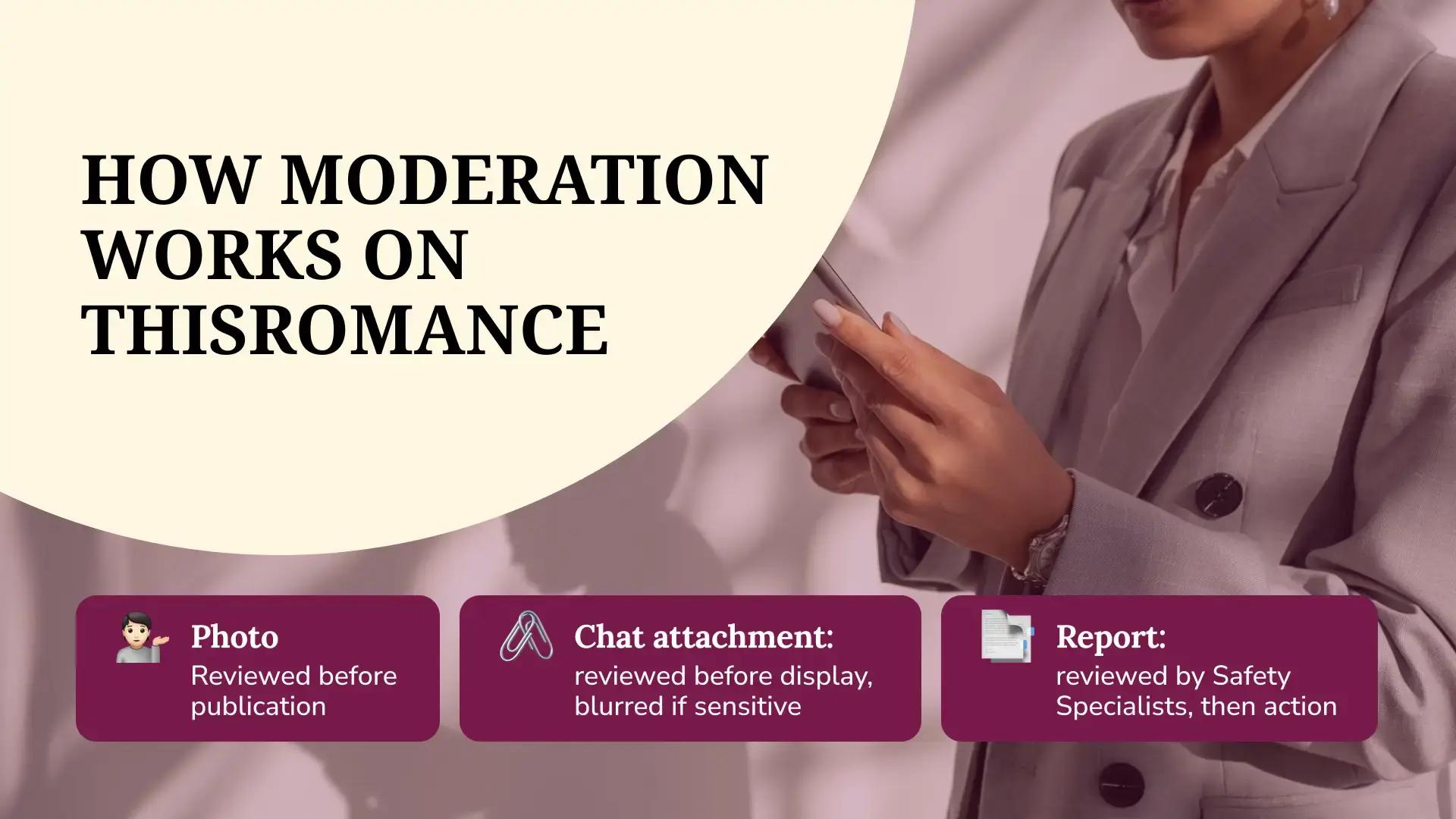
Upload a photo to ThisRomance, and an automated review looks at it before anyone else can see it. Send a picture inside a chat, and the same thing happens before it reaches the other person. Most of the time, you won't notice any of this, which is how it's meant to work.
The easiest way to understand moderation on ThisRomance is to follow it through. Below, a sign-up, a profile photo, a chat attachment, and a report each take a turn, with the tools that touch them along the way and the points where a person takes over from the software.
At the Door: Sign-Up Checks on ThisRomance
Moderation on ThisRomance starts before a profile exists. Every username is automatically checked against a list of prohibited terms, such as slurs and explicit language. A name that fails is rejected straight away, so the member picks another one before the account goes live. It may sound minor, but a username is the first thing other members see about you, and the check keeps that first impression within community standards.
Age gets its own check. ThisRomance is an 18+ platform, so a member who enters an age under 18 at sign-up is routed to age verification before the account can proceed. Our systems can also trigger age verification later, if underage signals appear, whether or not the member chose voluntary verification. A member who can't confirm their age receives an email stating that their account has been suspended under the age policy, along with an option to reply if they'd like the decision reviewed.
Journey One: A Profile Photo on ThisRomance
You upload a photo. Before it shows up publicly, an AI model reviews it. If it breaks our community guidelines (nudity and sexually suggestive content are the clearest examples), it isn't published, and you're told right away.
Should you think the decision was a mistake, you can submit an appeal through your account settings. The review runs ahead of publication, so it comes first.
Photos receive this treatment because they are the most visible part of a profile.
Journey Two: A Message With an Attachment
Now picture a photo sent inside a ThisRomance chat. Automated tools review photo attachments before they're displayed to the recipient, and what happens next depends on what they find:
-
Illegal content is removed automatically
-
Sensitive content is blurred automatically, and the recipient chooses whether to reveal it
-
Everything else arrives as normal
Those outcomes cover what the tools can identify. Anything else depends on members reporting it.
Automated tools also help identify possible harm in conversations, such as harassment or the sharing of personal information. They are a help, though, and not a verdict on every message.
Say a member sends a photo that the tools flag as sensitive. It arrives blurred, and the person receiving it decides whether to look. The choice to reveal it stays with the recipient.
ThisRomance members get a say as well. A blur toggle in chats and mail lets you decide whether potentially sensitive incoming content shows by default or stays blurred until you choose to look.
Who Does What on ThisRomance
Before the longest journey, a quick map of who handles what:
|
Who |
What they handle |
|
Software |
Username checks, photo review before publication, review of chat attachments, and blurring |
|
Safety Specialists |
Reviewing reports, deciding action under the Terms of Service, and emailing you when a case is resolved |
|
You |
Reporting, blocking, the blur toggle, voluntary verification, and keeping contact details private |
Why There Are So Many Layers
Software is quick but misses context. People understand context, but can't review every upload first. ThisRomance members notice things neither one sees, such as an odd request in a conversation. ThisRomance uses all three because no one layer covers everything. None of this on ThisRomance removes the need for a member's own judgment, which is why the last section is about habits. A photo with nothing wrong in it can still belong to someone behaving badly in the inbox, and only the person receiving those messages will see it.
Journey Three: A Report
Automated tools catch what they're built to catch. Everything else starts with a member noticing something and reporting it. That makes this the longest journey of the three.
You can report on ThisRomance:
-
A user's full profile
-
Profile photos, and photos sent in a chat or mail
-
Any post in the newsfeed
-
Messages in a private conversation, plus media sent in chat or mail
Each option sits where the content is: on a profile page, inside a conversation, or on the post in the newsfeed.
There are two kinds of reports. Report content flags a single item, such as a message or a photo. A profile report, on the other hand, flags the account as a whole for concerns like suspected impersonation or an underage user. The two go into separate review queues, so a bad message and a suspicious account each get the right kind of attention.
After you submit one, our ThisRomance safety specialists begin reviewing the case. If a violation is confirmed, action will be taken under the Terms of Service. You get an email once it's resolved, and a confirmation appears under the content you flagged. The person you reported isn't told who sent it.
What happens to the member who broke the rules depends on what the review finds. Outcomes can include content removal, a warning, or an account restriction, and a report to law enforcement may follow when illegal content is involved. Each case is reviewed on its own facts, so similar-looking reports can end differently.
Blocking sits next to reporting and operates independently. You can block from a profile page or inside a conversation at any time, without reporting anyone first. On ThisRomance, the two tools are independent, so you can use either one or both at the same time.
What Sits Around the Journeys on ThisRomance
A few more tools don't fit neatly into any one journey. None of them is moderation in the strict sense, yet each gives members more control over their own ThisRomance experience:
-
Voluntary identity verification through a well-known third-party provider, with a badge for members who complete it. A badge marks a completed check and says nothing about conduct, which only shows up over time
-
General email notifications, which can be switched off, while security-related emails keep arriving
-
A short survey, shown to ThisRomance members from time to time, that asks how safe they feel on the site and what we could do to help them feel more secure. The answers give our team a steady read on how members feel
-
Deactivation, which hides a profile and pauses emails until you reactivate, and permanent deletion, which asks for a final confirmation
-
Search privacy: your ThisRomance profile isn't indexed by search engines
Where Moderation Stops, and Your Judgment Starts
A plain admission: automated review on ThisRomance is good at what it can see. Images and clear violations are its strengths. Behavior that depends on context, like someone pretending to be another person, is harder to spot, which is why reports matter so much and why your own habits count.
Some habits help:
-
Keep phone numbers and addresses out of your ThisRomance profile and early messages
-
Be wary of any pressure to hurry or to switch to another app
-
Report what feels off, even without proof, since you don't need certainty first
-
Block anyone you'd rather not hear from
Our guide to staying safe on ThisRomance covers those habits in more detail.
For updates from our team, follow ThisRomance on Facebook.